Plugin
New
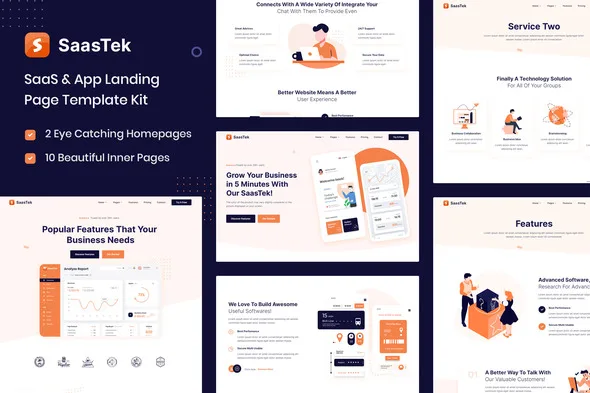
SaasTek - SaaS & Technology Elementor Template Kit
0.0
|
0 sales
Download SaasTek - SaaS & Technology Elementor Template Kit, a premium WordPress plugin for professional web development. Clean, fast, and fully optimized.
$4.98
Saastek is SaaS & Software Startup Template Kit completely made using Free version of Elementor. It is optimized for the free Hello Elementor theme but works with most themes that use Elementor.
\n
Saastek Template Kit Features
\n-
\n
- Fully Responsive \n
- 15 Templates included in this kit. \n
- Header, Footer are included \n
- Fast import \n
- Full Theme Styles support for easy customization of fonts and colors \n
-
\n
\n
Required Plugins (Installed automatically)
\n-
\n
- Elementor \n
- Contact Form 7 \n
- ElementsKit Lite \n
- Elementor – Header, Footer & Blocks \n
Images
\nIllustrations and icons are free to reuse from Freepik and Flaticon under the Creative Commons license. \nHOW TO INSTALL:
\n-
\n
- Install and Activate the “Envato Elements” plugin from Plugins > Add New in WordPress \n
- Do not unzip \n
- Go to Elements > Installed Kits and click the Upload Template Kit button. \n
- Before importing a template, ensure the Install Requirements button is clicked to activate required plugins \n
- For best results, do not import more than one template at a time. \n
-
\n
- Import the header and footer template \n
- Go to ElementsKit > Header Footer select Header and click Add New \n
- Give it a title, leave Entire Site selected and toggle Activation to On \n
- Click the template title and Edit Content \n
- Click the gray folder icon and select the header template to import and Update. \n
- Repeat for Footer \n
No changelog entries yet.
SaasTek - SaaS & Technology Elementor Template Kit
Main
Version 1.0.0
4.8 MB
Jun 23, 2026
Login to download
—
0 reviews
You need to log in and purchase this product to leave a review.
LoginNo reviews yet
Be the first to review this product!