
PublishPress Checklists Pro
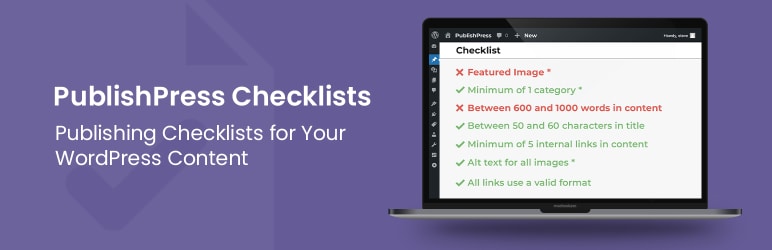
PublishPress Checklists Pro is an editorial management and content quality assurance plugin designed for multi-author blogs, newsrooms, magazines, and content-driven enterprises. Operating directly inside the WordPress Block Editor (Gutenberg) and Classic Editor, it enables editors and site managers to define custom pre-publication requirements that authors must fulfill before publishing content. Checklists Pro automates editorial guidelines by verifying parameters such as minimum/maximum word counts, required featured images, target SEO keyword usage, internal link counts, category selections, and custom field completions. The plugin can be configured to display soft warnings or strictly block the "Publish" button until every checklist item is marked complete, ensuring consistent content quality across large editorial teams.
Main Features
- Pre-publication requirement enforcement — Create custom checklists for posts, pages, and custom post types that must be satisfied before content can be published.
- Strict publishing permissions — Choose whether incomplete checklist items display gentle warnings or completely block authors from publishing.
- Automated & manual task checks — Define auto-verifying tasks (e.g., word count, featured image present, tags added) alongside manual checkbox items for writers.
- Role-based requirement rules — Customize specific checklist criteria based on WordPress user roles (e.g., stricter rules for Contributors vs. Senior Editors).
- WooCommerce product checklist support — Enforce requirements for WooCommerce product listings, ensuring price, SKU, product gallery images, and categories are set prior to launch.
- SEO & content integration — Integrates with popular SEO plugins (Yoast SEO, Rank Math) to require meta descriptions, focus keywords, or title length limits.
- Custom field (ACF) verification — Mandate that specific Advanced Custom Fields or Meta Box fields are filled out before submission.
- Multi-site & custom post type ready — Apply global or post-type-specific checklists across single sites or WordPress Multisite networks.
Benefits
- Maintains strict editorial standards — Guarantees every article meets company formatting, media, and structural guidelines before going live.
- Saves editorial review time — Automates routine checks (such as checking for featured images or word counts), allowing editors to focus on content quality.
- Reduces post-publication errors — Prevents accidental publishing of draft content missing key SEO tags, excerpt text, or required custom fields.
- Onboards new writers easily — Acts as an interactive style guide directly in the editing sidebar, guiding guest authors and new staff through formatting rules.
- Improves SEO & conversion consistency — Ensures all published pages consistently adhere to search engine optimization and internal linking best practices.
Who is it suitable for?
- Online magazines & news portals with multiple editors, columnists, and staff writers needing uniform editorial workflows.
- Content marketing agencies managing guest contributors and freelance writers who must adhere to client content guidelines.
- WooCommerce store managers ensuring product managers fill in complete product details, image galleries, and pricing before listing items live.
- Enterprise WordPress teams running multi-author publications or educational platforms that demand strict pre-publish compliance.
## Bug Fixes
- Gutenberg Sidebar Sync: Resolved an issue where completing specific conditional checklist requirements failed to update status badges from incomplete to verified without a manual refresh.
- Custom Taxonomy Validation: Fixed a verification glitch where minimum and maximum term limits applied to custom taxonomies occasionally failed on custom post type layouts.
- Settings Persistence & Escaping: Corrected a settings save validation error to prevent administrative options from reverting when handling special characters inside custom task descriptions.
publishpress-checklists-pro.2.30.0.zip
0 reviews
You need to log in and purchase this product to leave a review.
LoginNo reviews yet
Be the first to review this product!