
WooCommerce Order Status Plugins, Code & Scripts
WooCommerce Order Status Plugins, Code & Scripts represent the functional engine for managing post-checkout fulfillment states within WooCommerce. By default, WooCommerce provides a standardized set of core order statuses (such as Pending Payment, Processing, Completed, On Hold, and Cancelled). However, complex e-commerce workflows—such as custom manufacturing, pre-orders, local pickup, multi-tier fulfillment, or fraud verification—demand tailored status stages. Using dedicated order status management plugins or custom PHP code snippets (leveraging WooCommerce functions like register_post_status and wc_order_statuses filters), store administrators can add unlimited custom statuses, assign distinct color badges, trigger automated transactional emails, and build custom status transition triggers without breaking native store reporting or analytics.
Main Features
- Custom order status creation — Add unlimited custom order statuses (e.g., In Production, Awaiting Pickup, Packed, Shipped, Under Review).
- Automated status transition triggers — Automatically move orders from one status to another based on elapsed time, payment status, customer actions, or third-party webhooks.
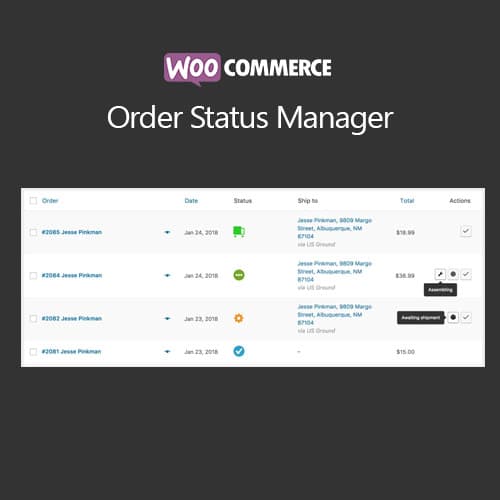
- Visual badge & color styling — Assign custom background colors, text formatting, and dashboard status icons for quick visual identification in the wp-admin order panel.
- Custom email notification triggers — Associate unique email templates and automated customer/admin notifications with specific custom status changes.
- Action button integration — Display "Next Status" quick-action buttons directly on order list rows and single order details screens to speed up manual fulfillment.
- PHP snippet & hook flexibility — Programmatically inject custom statuses using standard WordPress/WooCommerce hooks (register_post_status, wc_order_statuses) without performance overhead.
- Order reporting & download permission links — Map custom statuses to behave as "Paid" or "Requires Payment" to control downloadable product access and sales analytics tracking.
- Bulk status actions — Execute batch order status updates across multiple selected orders inside the WooCommerce admin orders table.
Benefits
- Refines fulfillment accuracy — Eliminates confusion by replacing generic statuses with exact business operational stages.
- Automates customer communication — Keeps shoppers informed at every step of order processing through triggered status emails, reducing customer support inquiries.
- Accelerates warehouse operations — Admin color badges and quick action buttons allow staff to triage, pack, and dispatch packages faster.
- Fully extensible developer framework — Supports clean integration via child theme functions.php snippets or dedicated snippet managers without bloating site core files.
- Protects store data integrity — Properly registered statuses maintain compatibility with WooCommerce REST APIs, reports, and third-party ERP/CRM integrations.
Who is it suitable for?
- E-commerce store owners & fulfillment managers handling customized orders, local pickups, or multi-step manufacturing processes.
- WooCommerce developers & agencies building bespoke fulfillment workflows and custom client business integrations.
- Dropshipping & wholesale businesses tracking complex third-party supplier dispatch stages and verification steps.
- Digital product & subscription stores managing custom access approvals or manual payment verification flows.
## Bug Fixes
- Custom Status Notification Email Dispatch: Resolved an issue where automated customer notification emails failed to trigger when transitioning orders into specific custom statuses.
- Order List Filter & Dropdown Sorting: Fixed an admin interface bug where custom order status filters misaligned or dropped from the bulk actions dropdown.
- Stock Reservation Sync: Corrected a inventory validation flaw to ensure product stock holds properly release or adjust when custom unpaid order statuses transition to cancelled or refunded states.
addify-custom-order-status.1.3.2.zip
Main0 reviews
You need to log in and purchase this product to leave a review.
LoginNo reviews yet
Be the first to review this product!